CleanStorage
Lumitrim finds similar photos, old calendar events and contacts you no longer need, so you can clear them in a few taps. Everything runs on your iPhone.
Download on theApp Store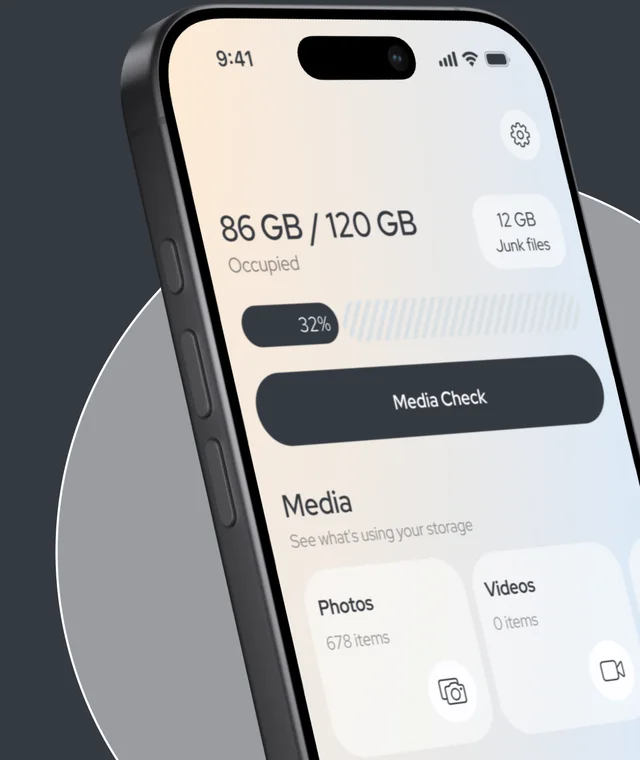
- Media Check
- Similar photos
- Calendar
- Contacts
- Remove Background
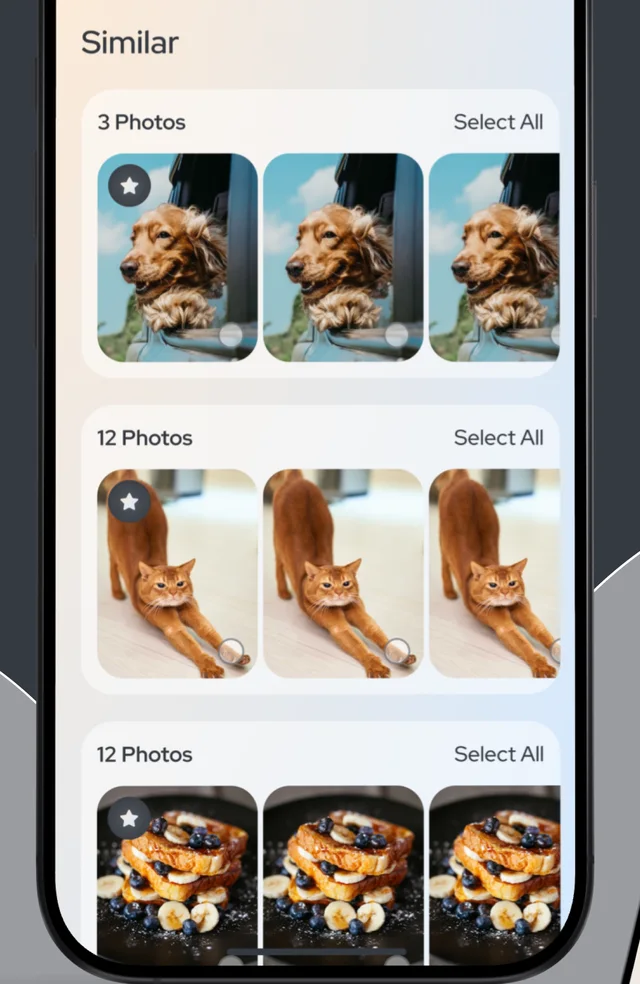
Only theBest Shots
Similar shots are grouped together with the best one marked. Keep it and clear the rest, or select a whole group in one tap.
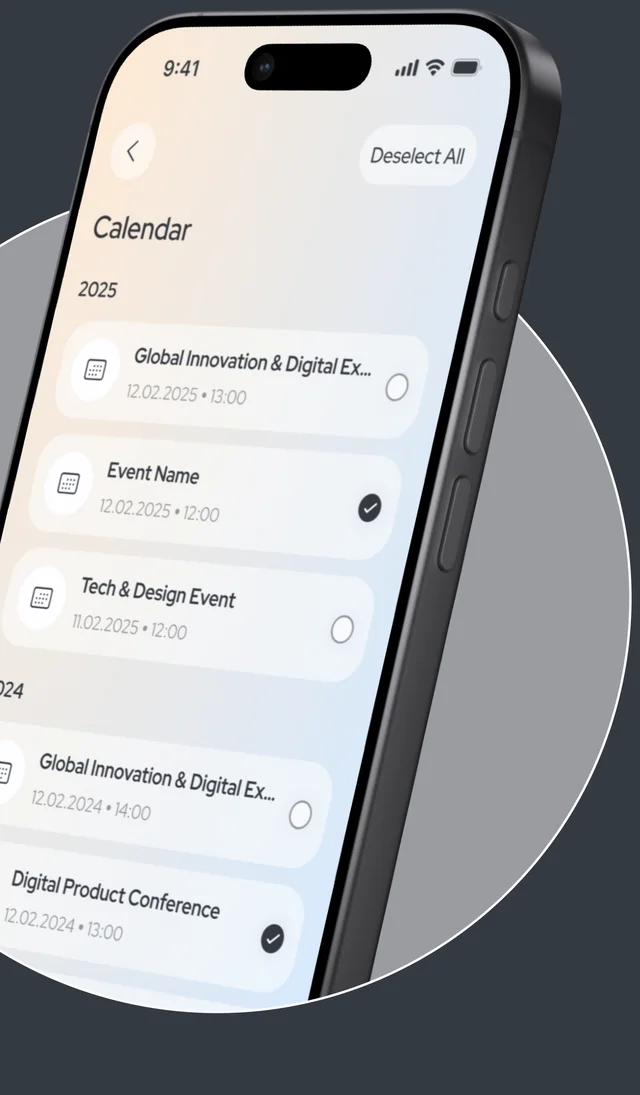
EventControl
Past events are sorted by year, so you can review them and delete the ones you no longer need.
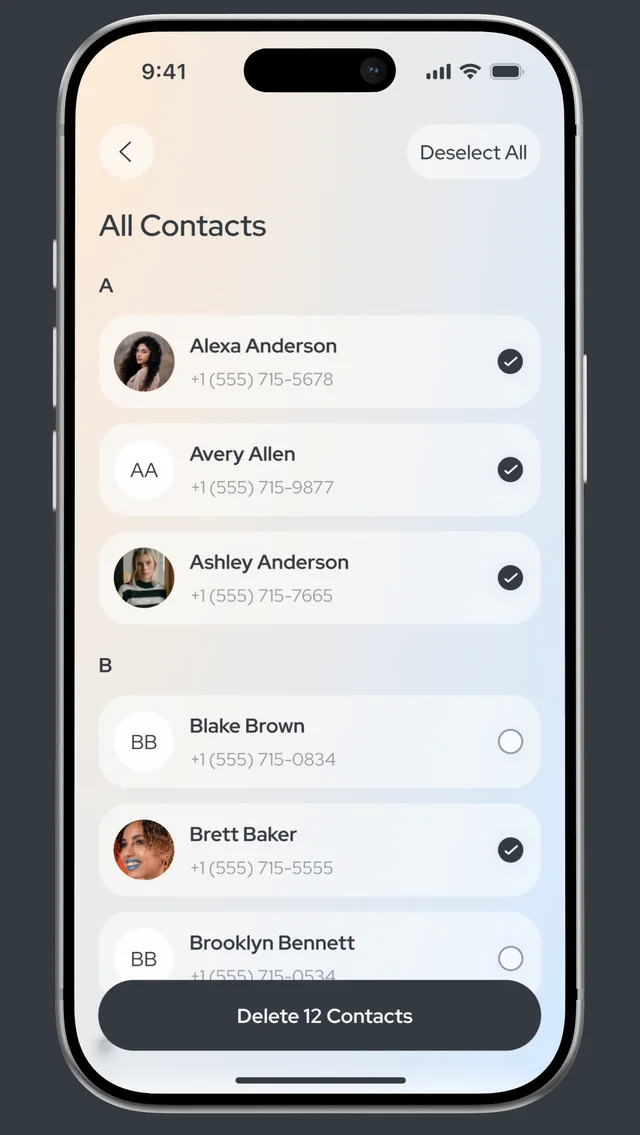
ContactManager
Go through your address book alphabetically, select the contacts you don’t need and delete them together.
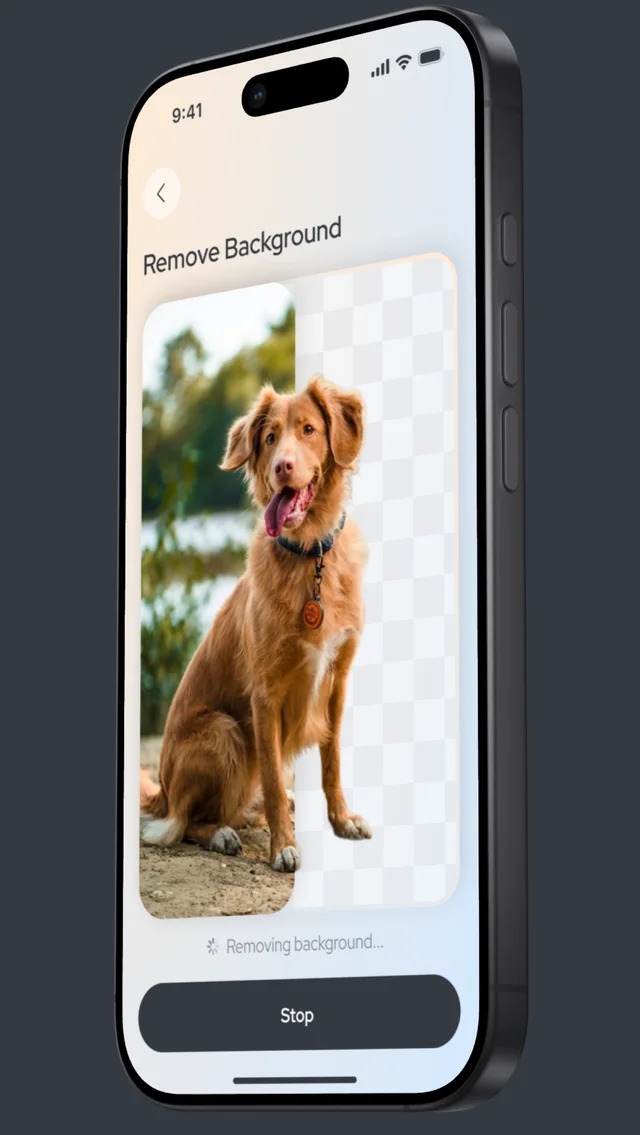
RemoveBackground
Cut the subject out of a photo and get a clean image with a transparent background.
Privateby design
Processed on your iPhone
Photos, contacts and calendar events are analyzed on your device. Nothing is uploaded to us.
No data collected
Lumitrim does not collect analytics, identifiers or usage data.
You confirm every delete
Suggestions are only suggestions. Deleted photos stay in Recently Deleted for up to 30 days.
Good toknow
Does Lumitrim upload my photos?
No. Photos, videos, contacts and calendar events are analyzed on your iPhone and never uploaded to our servers.
Can I get deleted photos back?
Yes. Deleted photos and videos go to the Recently Deleted album in the Photos app, where iOS keeps them for up to 30 days.
Is Lumitrim free?
Lumitrim is free to download. Its features require a subscription, and you can start with a free trial. Prices are shown in the app before you subscribe.
Need help?
Email support@lumitrim-app.com or visit the Support page.

Give your iPhone some room.
Download Lumitrim and run your first Media Check.
Download on theApp Store